IDEA插件系列(18):Translation插件——翻译插件

释放双眼,带上耳机,听听看~!

0. 目录

  1. 插件介绍

  2. 安装方式

  3. 使用方法

3.1 翻译单词

3.2 替换单词

3.3 翻译图标

3.4 翻译设置


1. 插件介绍

可以翻译词汇、语句,十分方便。

2. 安装方式

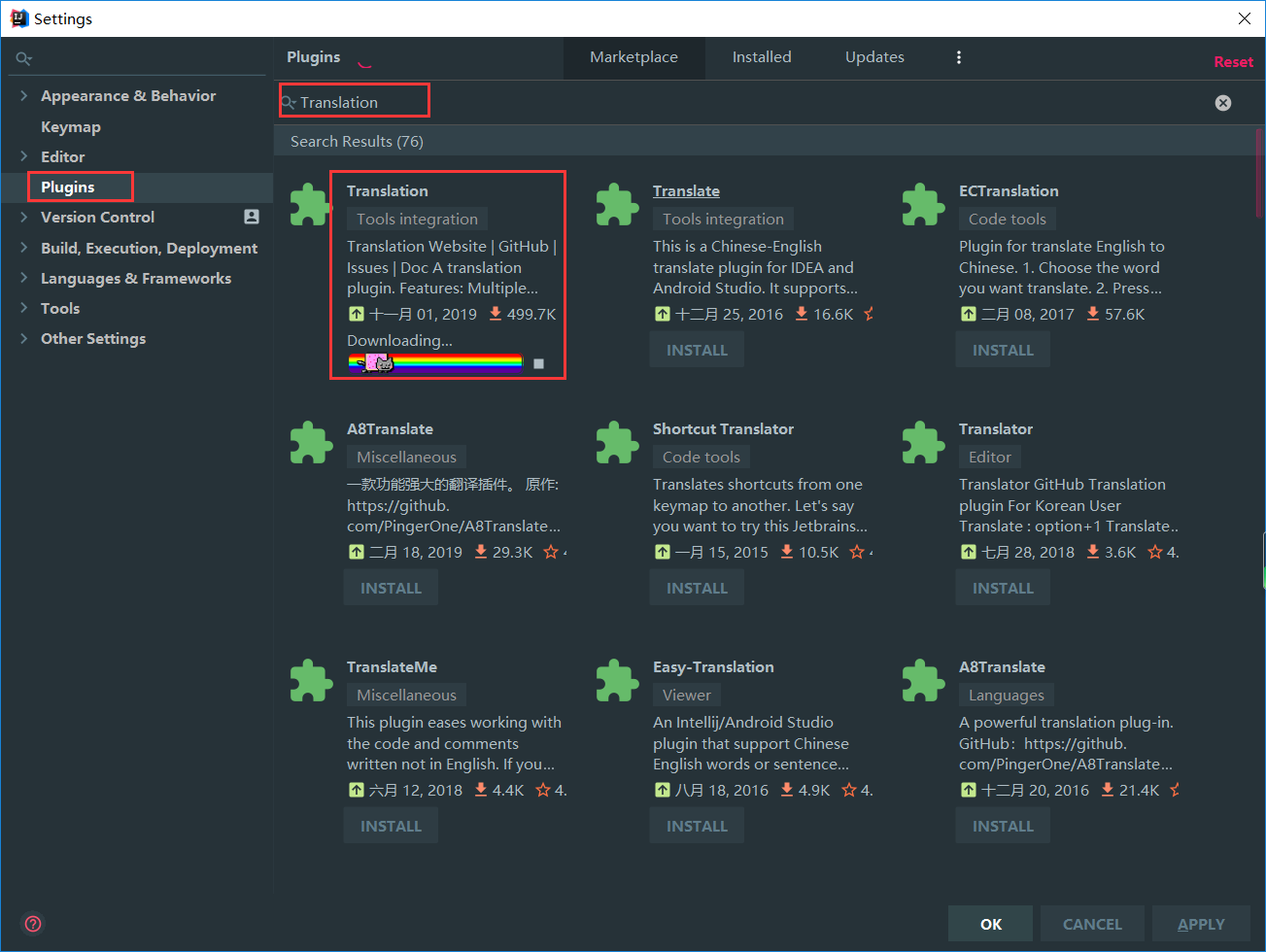
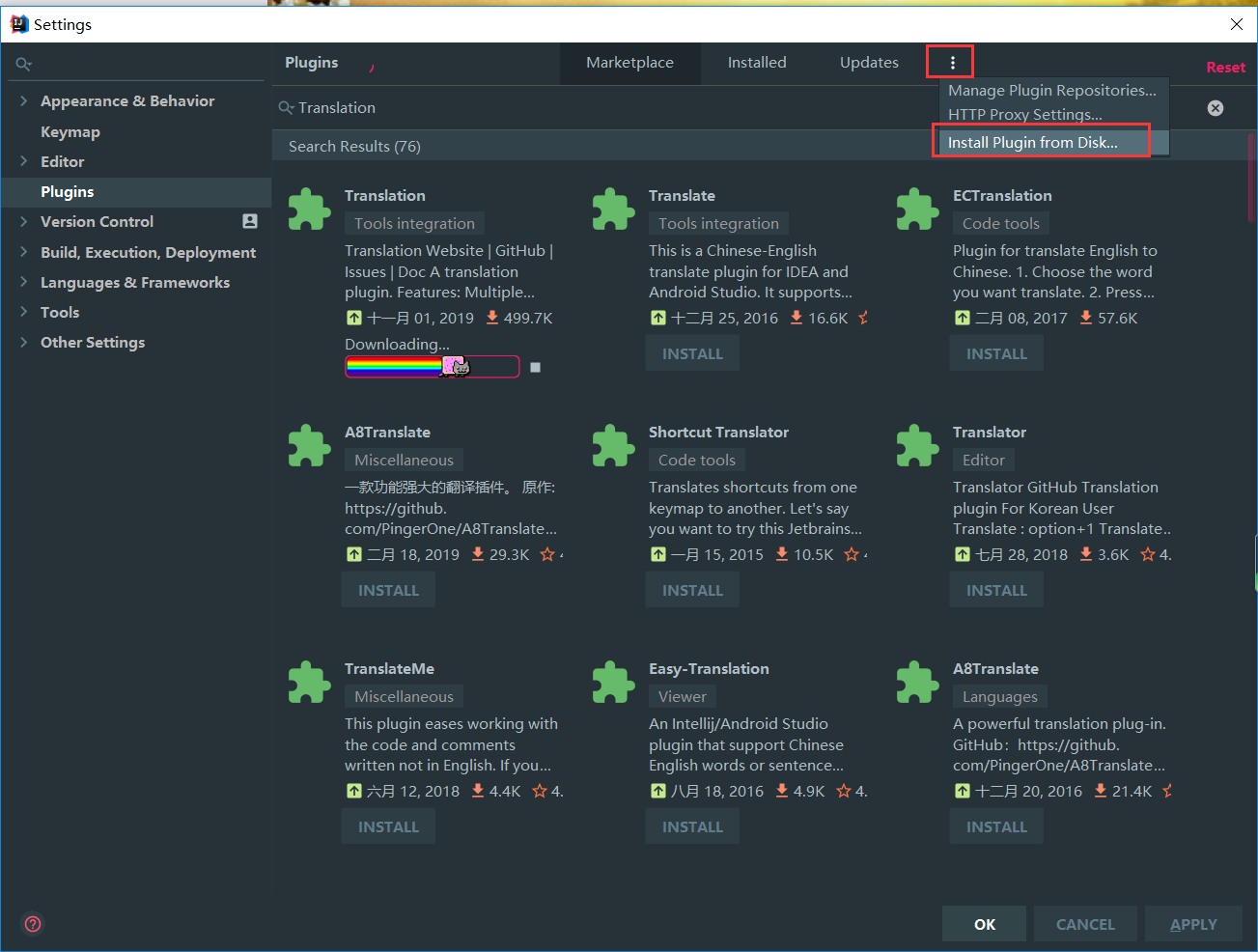
第一种安装方式是使用IDEA下载插件进行安装
IDEA插件系列(18):Translation插件——翻译插件

第二种方式是使用离线插件进行安装

插件下载地址:http://plugins.jetbrains.com/plugin/8579-translation/
IDEA插件系列(18):Translation插件——翻译插件

3. 使用方法

3.1 翻译单词

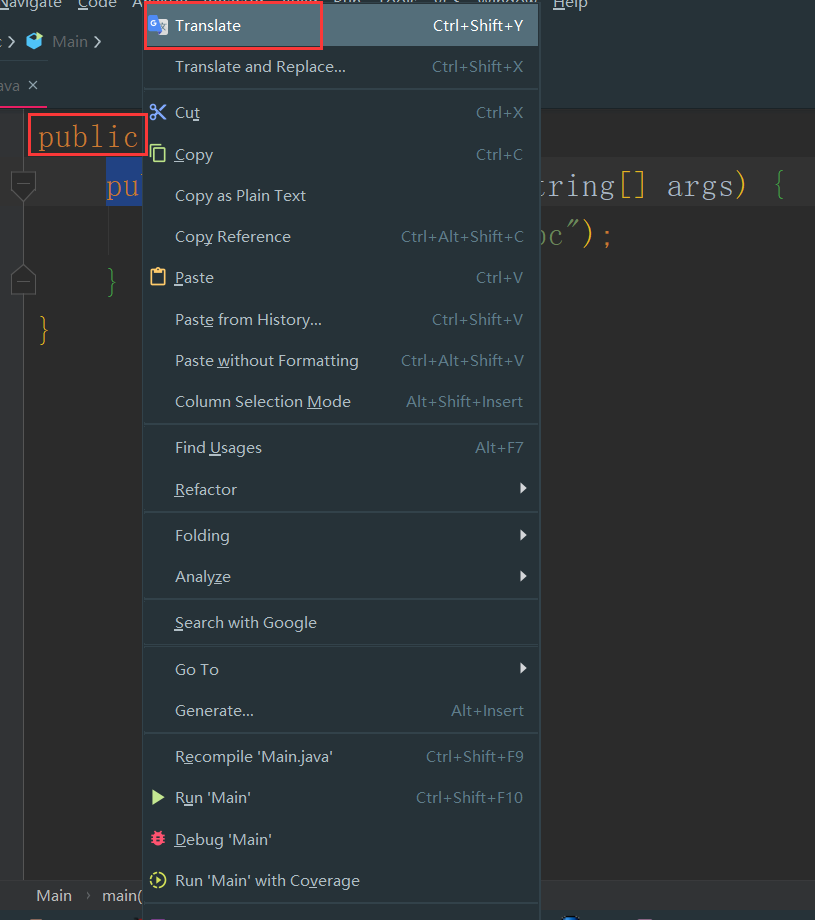
选中单词,右键单击,选择
**Translate,**然后进行翻译。

也可以使用快捷键:
Ctrl+Shift+Y
IDEA插件系列(18):Translation插件——翻译插件

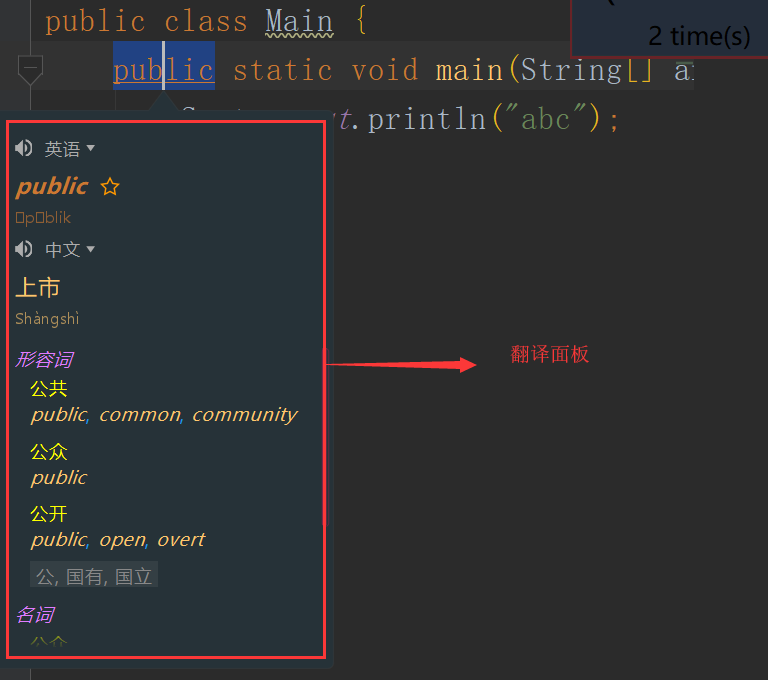
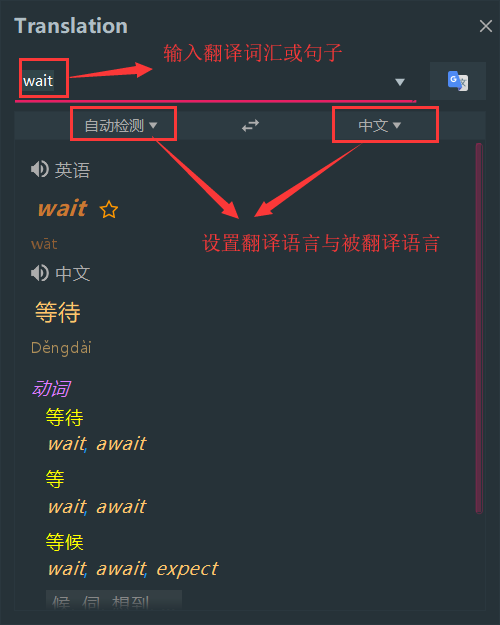
出现如下翻译面板

IDEA插件系列(18):Translation插件——翻译插件

3.2 替换单词

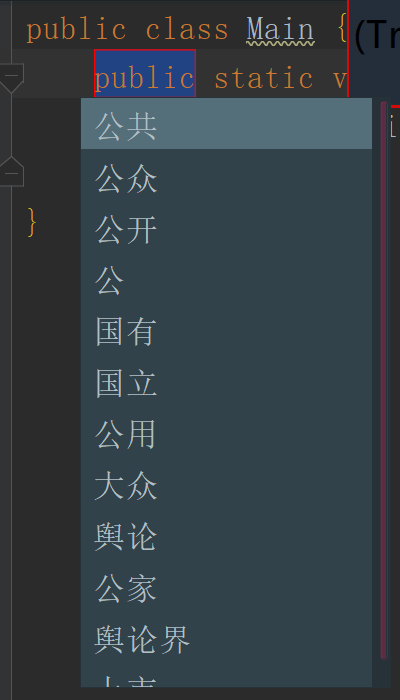
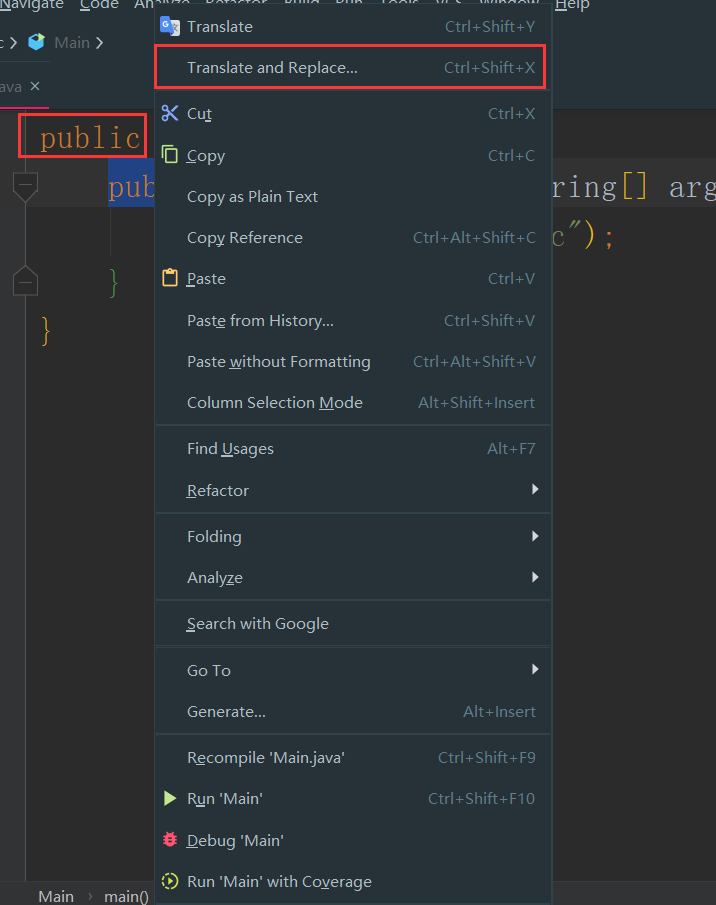
选中单词,选择Translate and Replace…

也可以使用快捷键:
Ctrl+Shift+X
IDEA插件系列(18):Translation插件——翻译插件

进行替换

IDEA插件系列(18):Translation插件——翻译插件

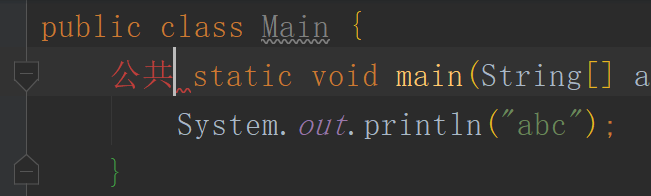
替换结果

IDEA插件系列(18):Translation插件——翻译插件

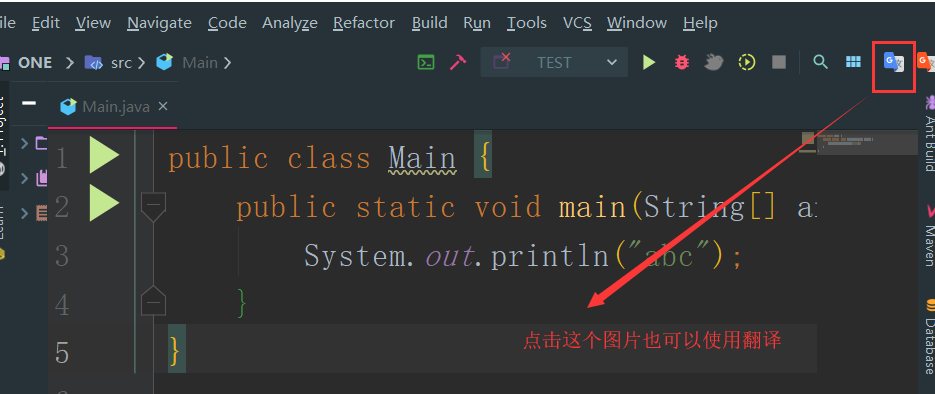
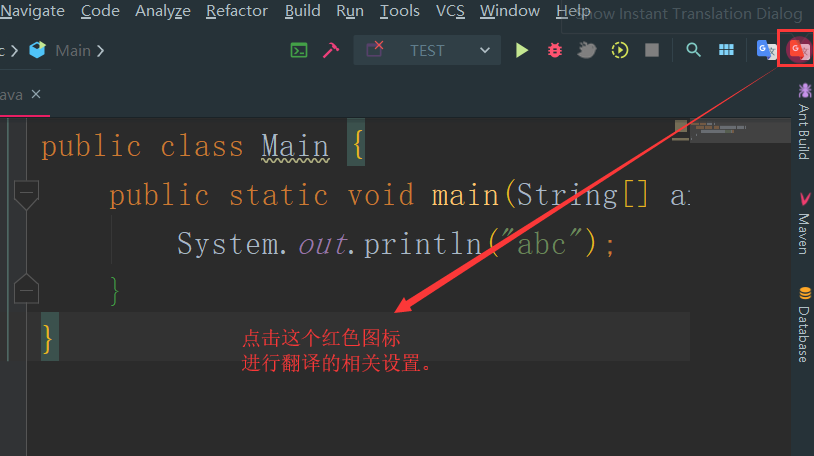
3.3 翻译图标

IDEA插件系列(18):Translation插件——翻译插件

显示翻译结果

IDEA插件系列(18):Translation插件——翻译插件

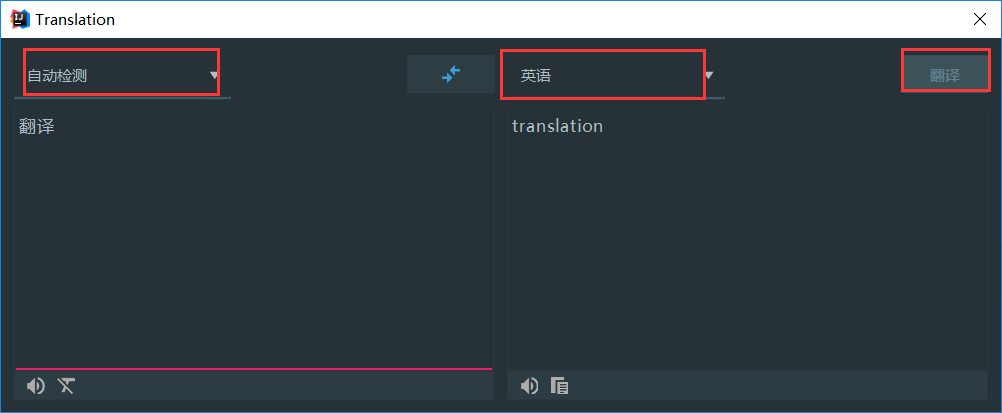
3.4 翻译设置

打开设置

IDEA插件系列(18):Translation插件——翻译插件

翻译

IDEA插件系列(18):Translation插件——翻译插件

给TA打赏
共{{data.count}}人
人已打赏
安全经验

职场中的那些话那些事

2021-9-24 20:41:29

安全经验

MMORPG服务器架构

2021-11-28 16:36:11

个人中心
购物车
优惠劵
今日签到
有新私信 私信列表
搜索