

一. 产生跨域的原因
1.浏览器限制
2.跨域
3.XHR(XMLHttpRequest)请求
二. 解决思路
解决跨域有多重,在这里主要讲用nginx解决跨域
1.JSONP
2.nginx代理
3.浏览器禁止检查跨域
三. 下载安装nginx
nginx下载地址
- 选择其中一个版本下载,再解压即可使用
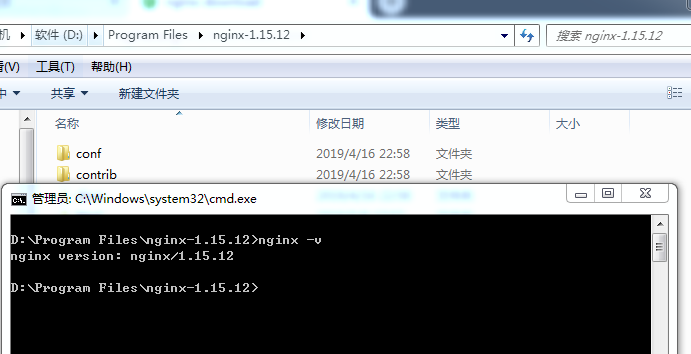
- 在nginx目录下输入nginx -v,若出现版本号,则安装成功

四. nginx反向代理解决跨域(客户端解决跨域)
1.我们使用jquery的ajax发送请求,node开启后台服务
前端代码:
利用jQuery的ajax api发送请求
2
3
4
5
6
7
8
9
10
11
12
13
14
15
16
17
18
19
20
21
22
23
24
25
26
27
28
29
30
2 <button id="getNO">发送请求NO(客户端解决跨域问题)</button>
3 <script>
4 $(document).ready(function () {
5 $('#getOK').click(function () {
6 $.ajax({
7 url:'http://localhost:3000/ok',
8 success:function(res) {
9 console.log("success",res)
10 },
11 error:function(err) {
12 console.log('fail',err)
13 }
14 })
15 })
16 $('#getNO').click(function () {
17 $.ajax({
18 url:'http://localhost:3000/no',
19 success:function(res) {
20 console.log("success",res)
21 },
22 error:function(err) {
23 console.log('fail',err)
24 }
25 })
26 })
27 })
28 </script>
29
30
后端代码:
利用node的express框架开启服务,并根据url返回json格式的数据,
设置这么多接口的目的是为了后面匹配nginx的location配置的
2
3
4
5
6
7
8
9
10
11
12
13
14
15
16
17
18
19
20
21
22
23
24
25
26
27
28
29
30
31
32
33
34
35
36
37
38
39
40
41
42
43
44
45
46
47
48
49
50
51
52
53
54
55
56
2const cookieParser = require('cookie-parser')
3
4var app = express()
5
6
7var router = express.Router()
8router.get('/ok',function (req,res) {
9 res.json({
10 code:200,
11 msg:"isOK"
12 })
13})
14
15router.get('/ok/son',function (req,res) {
16 res.json({
17 code:200,
18 msg:"isOKSon"
19 })
20})
21
22router.get('/ok2',function (req,res) {
23 res.json({
24 code:200,
25 msg:"isOK2"
26 })
27})
28
29router.get('/no',function (req,res) {
30 res.json({
31 code:200,
32 msg:"isNO"
33 })
34})
35
36router.get('/no/son',function (req,res) {
37 res.json({
38 code:200,
39 msg:"isNOSON"
40 })
41})
42
43router.get('/no/son2',function (req,res) {
44 res.json({
45 code:200,
46 msg:"isNOSON2"
47 })
48})
49
50app.use(router)
51app.use(cookieParser)
52app.listen(3000,function () {
53 console.log('listen in 3000')
54})
55
56
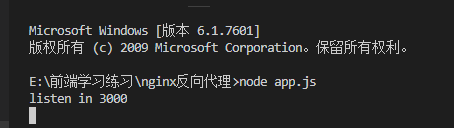
然后开启node服务
现在可以测试下接口
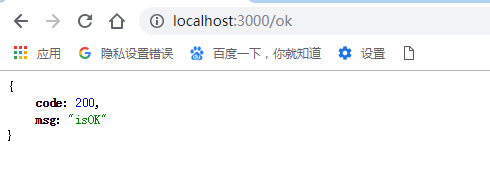
可以看出,node服务成功开启
现在可以尝试不开启nginx服务直接发送ajax请求会出现什么情况
(注意:发送ajax请求需要以服务器方式打开网页,不能以文件形式)

如图,在5500端口请求3000端口出现了跨域问题,这时候就可以开启nginx服务并配置location进行解决
2.配置nginx进行反向代理解决跨域
反向代理的原理就是讲前端的地址和后端的地址用nginx转发到同一个地址下,如5500端口和3000端口都转到3003端口下,具体配置如下:
- 打开nginx目录下的conf目录里面nginx.conf
- 为了方便以后测试,我们将配置分离开来,弄成多个文件
- 在nginx.conf的http对象的最后加上include …/vhost/test.conf;(注意要最后加上分号)
- 这样就可以在test.conf下单独配置了
具体的location配置规则如下:
nginx的location配置规则
2
3
4
5
6
7
8
9
10
11
12
13
14
15
16
17
18
19
20
21
22
2server
3{
4 listen 3003;
5 server_name localhost;
6 ## = /表示精确匹配路径为/的url,真实访问为http://localhost:5500
7 location = / {
8 proxy_pass http://localhost:5500;
9 }
10 ## /no 表示以/no开头的url,包括/no1,no/son,或者no/son/grandson
11 ## 真实访问为http://localhost:5500/no开头的url
12 ## 若 proxy_pass最后为/ 如http://localhost:3000/;匹配/no/son,则真实匹配为http://localhost:3000/son
13 location /no {
14 proxy_pass http://localhost:3000;
15 }
16 ## /ok/表示精确匹配以ok开头的url,/ok2是匹配不到的,/ok/son则可以
17 location /ok/ {
18 proxy_pass http://localhost:3000;
19 }
20}
21
22
上面代码的意思是将localhost:3003转发为location:5500,也就是说现在访问localhost:3003实际上是访问location:5500,而访问localhost:3003/no则是访问localhost:3000,并以no开头的url
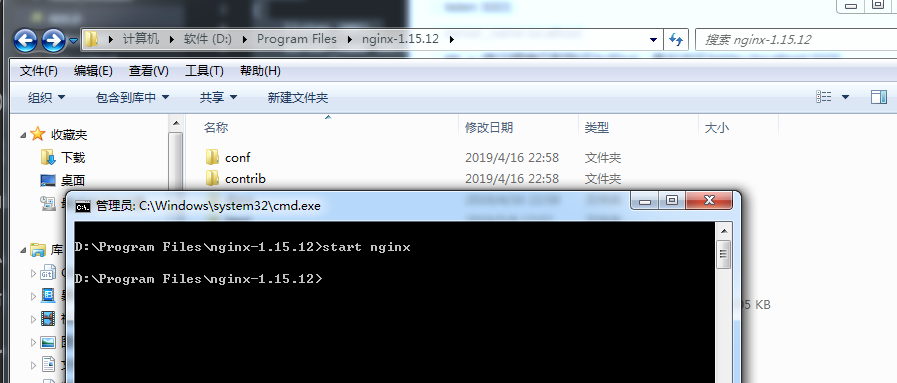
- 现在我们可以开启nginx服务了,在nginx目录下使用start nginx即可开启服务
- 每次修改配置都需要执行nginx -s reload命令才能生效
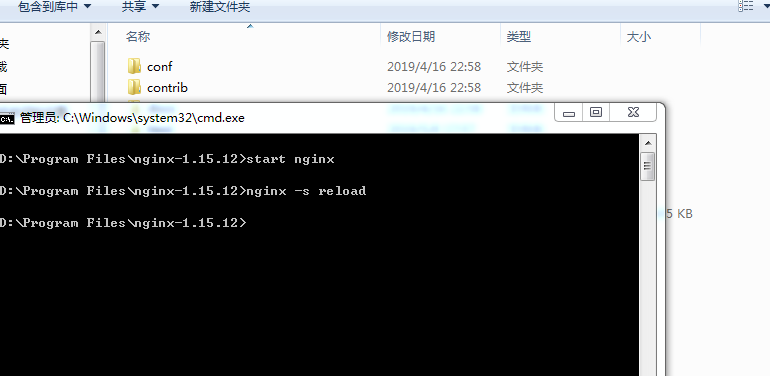
现在修改前端代码,将之前请求的接口的端口换为3003,如下:
2
3
4
5
6
7
8
9
10
11
12
13
2 $.ajax({
3 url:'http://localhost:3003/ok',
4 success:function(res) {
5 console.log("success",res)
6 },
7 error:function(err) {
8 console.log('fail',err)
9 }
10 })
11 })
12
13
在浏览器访问的也不算location:5500,而是localhost:3003了,再次发送请求也不会出现跨域问题了,因为他们都是同一个域了,这就是nginx反向代理

五. 后端配置nginx解决跨域(服务端解决跨域)
1. 依旧是ajax+node
这是前端代码
2
3
4
5
6
7
8
9
10
11
12
13
14
15
16
17
18
19
2 $('#get').click(function () {
3 $.ajax({
4 url:'http://localhost:3002/ok',
5 // 带cookies的请求
6 xhrFields:{
7 withCredentials:true
8 },
9 success:function(res) {
10 console.log("success",res)
11 },
12 error:function(err) {
13 console.log('fail',err)
14 }
15 })
16 })
17 })
18
19
后端代码同前面
还有nginx配置如下:
2
3
4
5
6
7
8
9
10
11
12
13
14
15
16
17
18
19
20
21
22
23
24
25
26
27
28
29
30
31
32
33
34
2
3server
4{
5 listen 3002;
6 server_name localhost;
7 location /ok {
8 proxy_pass http://localhost:3000;
9
10 # 指定允许跨域的方法,*代表所有
11 add_header Access-Control-Allow-Methods *;
12
13 # 预检命令的缓存,如果不缓存每次会发送两次请求
14 add_header Access-Control-Max-Age 3600;
15 # 带cookie请求需要加上这个字段,并设置为true
16 add_header Access-Control-Allow-Credentials true;
17
18 # 表示允许这个域跨域调用(客户端发送请求的域名和端口)
19 # $http_origin动态获取请求客户端请求的域 不用*的原因是带cookie的请求不支持*号
20 add_header Access-Control-Allow-Origin $http_origin;
21
22 # 表示请求头的字段 动态获取
23 add_header Access-Control-Allow-Headers
24 $http_access_control_request_headers;
25
26 # OPTIONS预检命令,预检命令通过时才发送请求
27 # 检查请求的类型是不是预检命令
28 if ($request_method = OPTIONS){
29 return 200;
30 }
31 }
32}
33
34
发送预检命令的是非简单请求,具体可以看慕课网ajax跨域完全讲解
实际上不是非简单请求的且不带cookie只需2个字段即可解决跨域
add_header Access-Control-Allow-Methods *;
add_header Access-Control-Allow-Origin $http_origin;
- 具体效果如下图:

这时只需改ajax请求的端口接口,无需修改前端服务器的地址
最后附上源码:
nginx解决跨域问题
